Financial services
Least privilege, with the evidence to show for it.
Auditors and examiners ask the same questions every cycle. Who holds privileged access? Why does this account have it? What changed since the last review? GraphnAI answers from your directories, Active Directory and Microsoft Entra ID, and records every change it makes.
The audit cycle
Where privileged access drifts.
Admin rights hide in nested groups.
The privileged access list you review covers Domain Admins and a few named groups. The account that matters is often three nested groups away, or a service account nobody counts as an admin.
What GraphnAI doesThe Asset Criticality Engine rates every identity after each sync. It finds Tier 0 on its own, and the accounts that reach it through up to ten hops of nested groups.
Account security checks flag privileged accounts with a password that never expires, a service principal name, a mailbox or no recent logon.
People change roles. Their access stays.
A trader moves to operations and keeps the trading groups. A help desk group picks up rights over an OU of privileged accounts. Each grant made sense once. The conflict only shows when you see them together.
What GraphnAI doesOver-permission analytics compares each identity with peers in the same domain, department and title, counting what it inherits through nested groups. It finds the people who kept access through several role changes.
Delegation Risk checks every OU and container with custom delegations. It flags trustees on a lower plane that hold rights over a higher one.
The same finding comes back every quarter.
Findings stay open because nobody can say what the fix would break. When one does get fixed, the evidence is spread across a ticket, a script and someone’s memory.
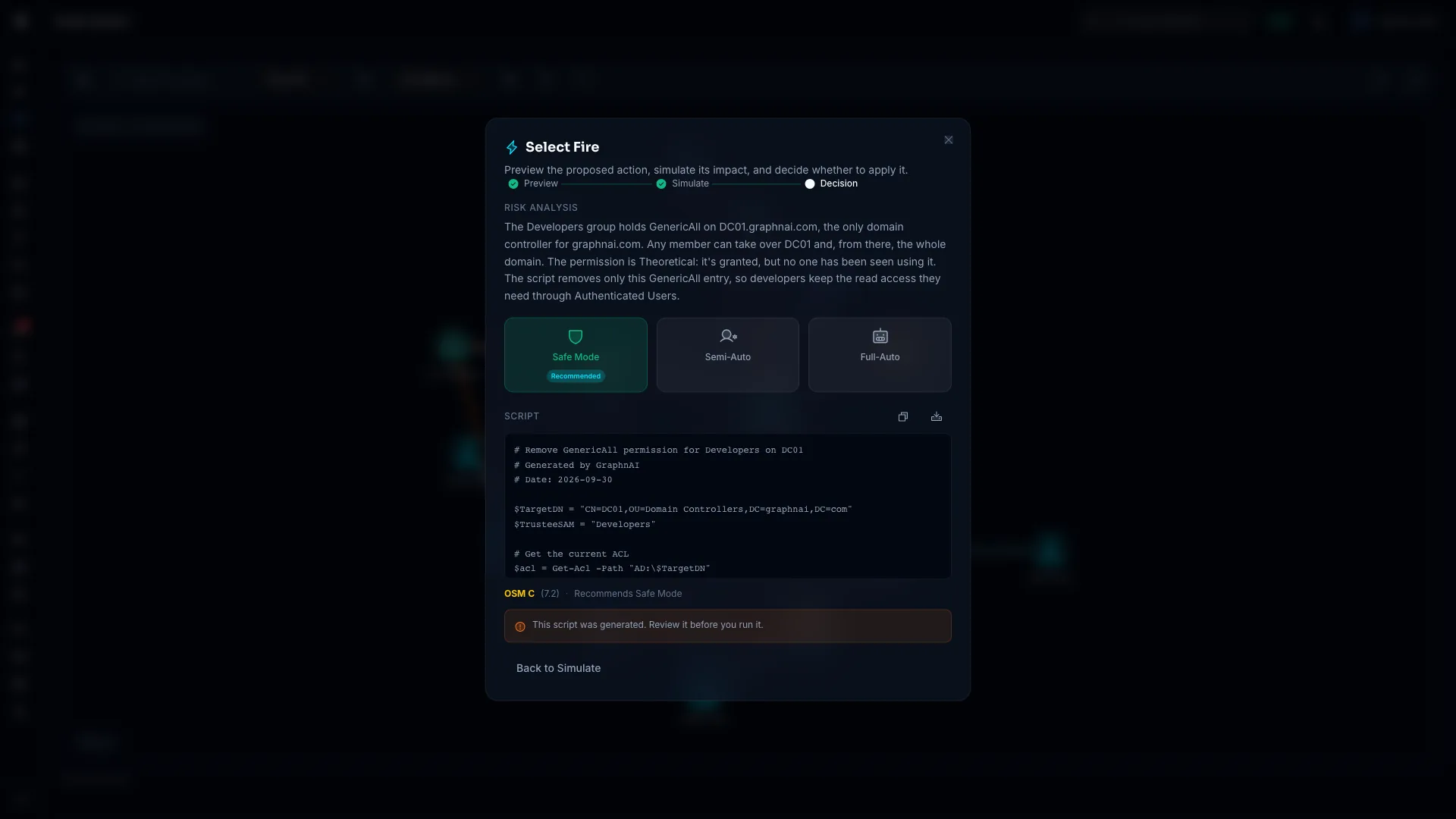
What GraphnAI doesSelect Fire simulates the fix on your live graph, scores how safe it is, and runs only changes GraphnAI can reverse.
The remediation history records who authorized each change, the mode, and the state before and after, read back from the directory. Each entry is sealed and kept for two years.
Every acquisition added a forest.
Mergers leave trusts, delegations and service accounts the acquiring bank never mapped. A forest trust relaxed for an old migration can still let SID history across.
What GraphnAI doesGraphnAI reads every trust on every sync. It flags a cross-forest trust only when its SID filtering is weak, such as a forest trust with SID history allowed.
Boundary Escape lists the identities that can reach into another forest or your Entra ID tenant. One Identity Bridge can sync several forests.
Every change leaves a record.
When an examiner asks how a finding was closed, the answer is one link. Each entry in the remediation history has an address you can paste into a ticket or an incident report.
- Before it runs
- The blast radius, an Operational Safety Metric score from 0 to 100, and the mode it recommends. The same inputs always give the same score.
- Who allowed it
- The person who authorized it, or the policy that let Full-Auto run it. An Operator can run only fixes built from a Critical or High finding plan.
- What changed
- The state before and after, read back from the directory, step by step. For 14 days, each sync checks the object, and a change made outside GraphnAI shows on the entry.
- How long it’s kept
- Entries are sealed, so an edit shows, and kept for two years. Full-Auto actions, and what you did with each Graphne recommendation, stay in the governance audit for seven years.
Know the moment privileged access changes.
With a collector forwarding your domain controllers’ security events, GraphnAI alerts on the changes that matter most for privileged access.
- Tier 0 group change
T1098. A member added to Domain Admins or another Tier 0 group, with who added them. - DCSync
T1003.006. An account using directory replication rights to pull password data. - Audit tampering
T1562.002. Any change to the Windows audit policy. Critical when it turns auditing off. - Account manipulation
T1098. A password reset or account enable done by another account. - Trust manipulation
T1484.002. A domain or forest trust created, removed or changed.
Export alerts as CSV or JSON, or poll the alerts API and forward them to your SIEM.
Bring evidence to the access review.
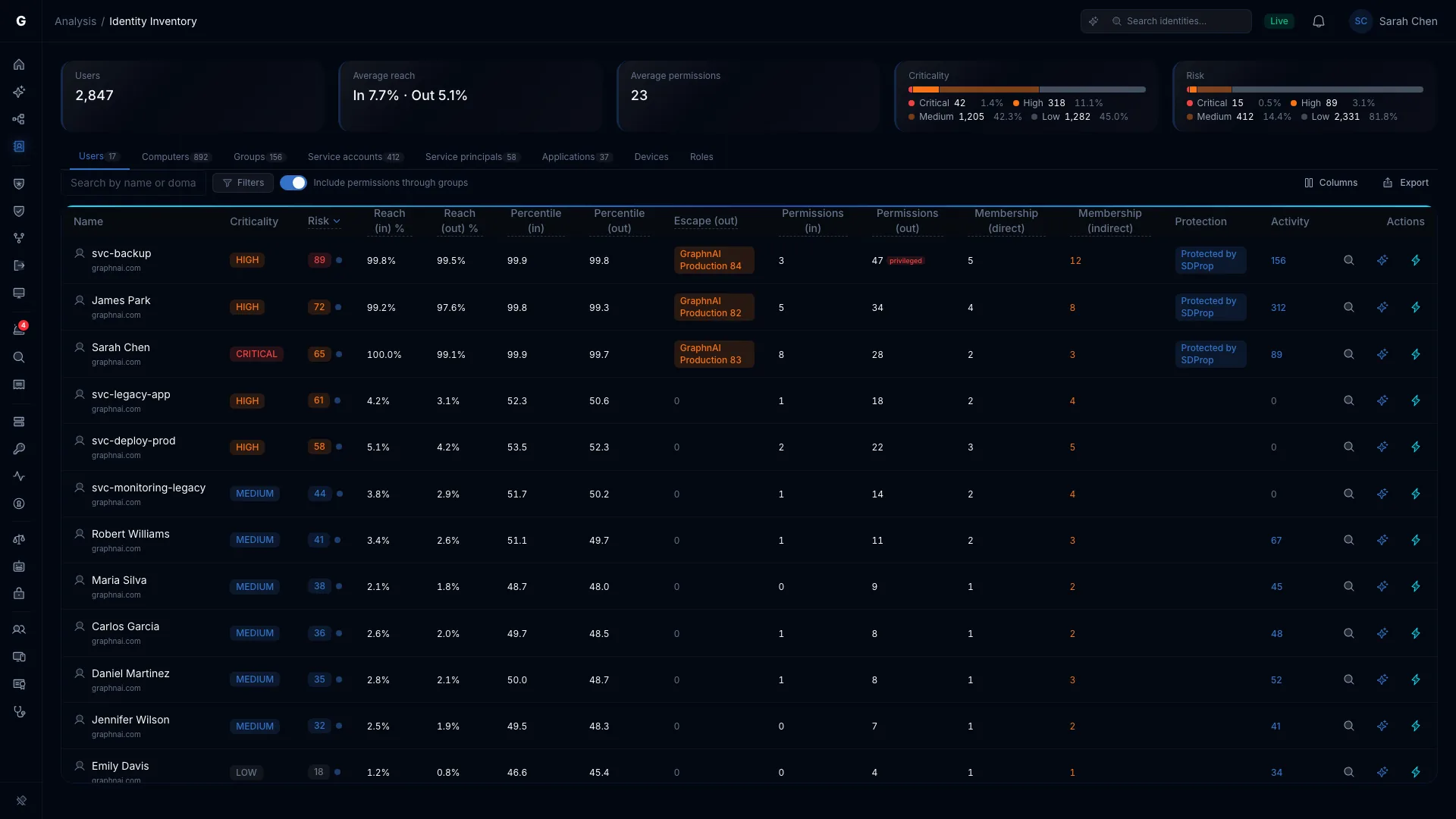
The Identity Inventory lists every identity in every directory you connect. Turn on the Over-permissioned or Stale preset, then export what you see to CSV or JSON for your reviewers.
Each outlier shows how far it sits above its peer group and which permission types drive the gap. A reviewer sees why it was flagged.
An investigation writes a report on one identity, with the evidence behind each finding. Reports are kept for a year, so you can run the same account next quarter and compare.
When a boundary escape exists by design, accept it with a written justification and a review date. An escape that reaches a Tier 0 target needs an Admin, and it comes back if it changes.
Your identity data stays on your server.
Your entitlement data never has to leave your network for a vendor’s cloud.
- GraphnAI runs on your own server, with its own database. We have no standing access to it.
- The Identity Bridge only dials out, over mutual TLS 1.3, so you open no inbound firewall ports.
- The usage report it sends us carries counts, never account names, domain names, hostnames or IP addresses. Every field is documented.
- Graphne, the AI assistant, is off until you choose a model, and that model can run on your own hardware.
Close a finding, and keep the record.
The Public Preview is free for 30 days from your first sync, on your own server.